Importing Chrome Extensions in Firefox: A Comprehensive Guide
In a significant move towards cross-browser compatibility, Firefox users can now enjoy the benefits of importing Chrome extensions. This development brings us one step closer to having more browser compatibility thanks to a new feature that Mozilla unveiled. Here’s how you can import Chrome extensions into Firefox.
How to Import Chrome Extensions in Firefox
- Enable the Feature: Type ‘about:config’ into the address bar of your Firefox browser. Upon hitting Enter, a warning prompt will appear. Say yes and proceed.
- Locate the Option: In the search bar on the ‘about:config’ page, look for ‘browser.migrate.chrome.extensions.enabled’. Modify its value to true.
- Restart Firefox: This will activate the feature.
- Access Import Data Function: Click on the Menu button (usually three horizontal lines) and navigate to Settings.
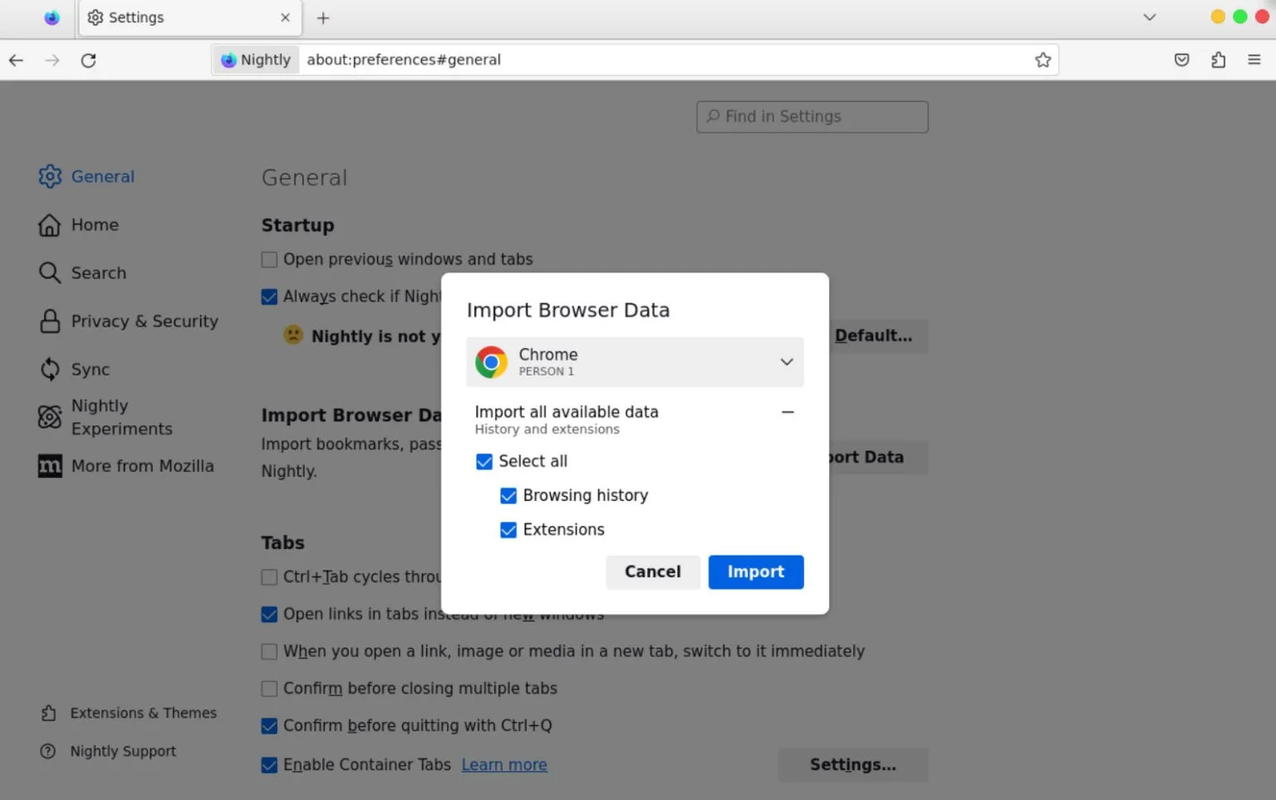
- Select ‘Import Data’: Choose Chrome from the list of options, and ensure extensions are checked.
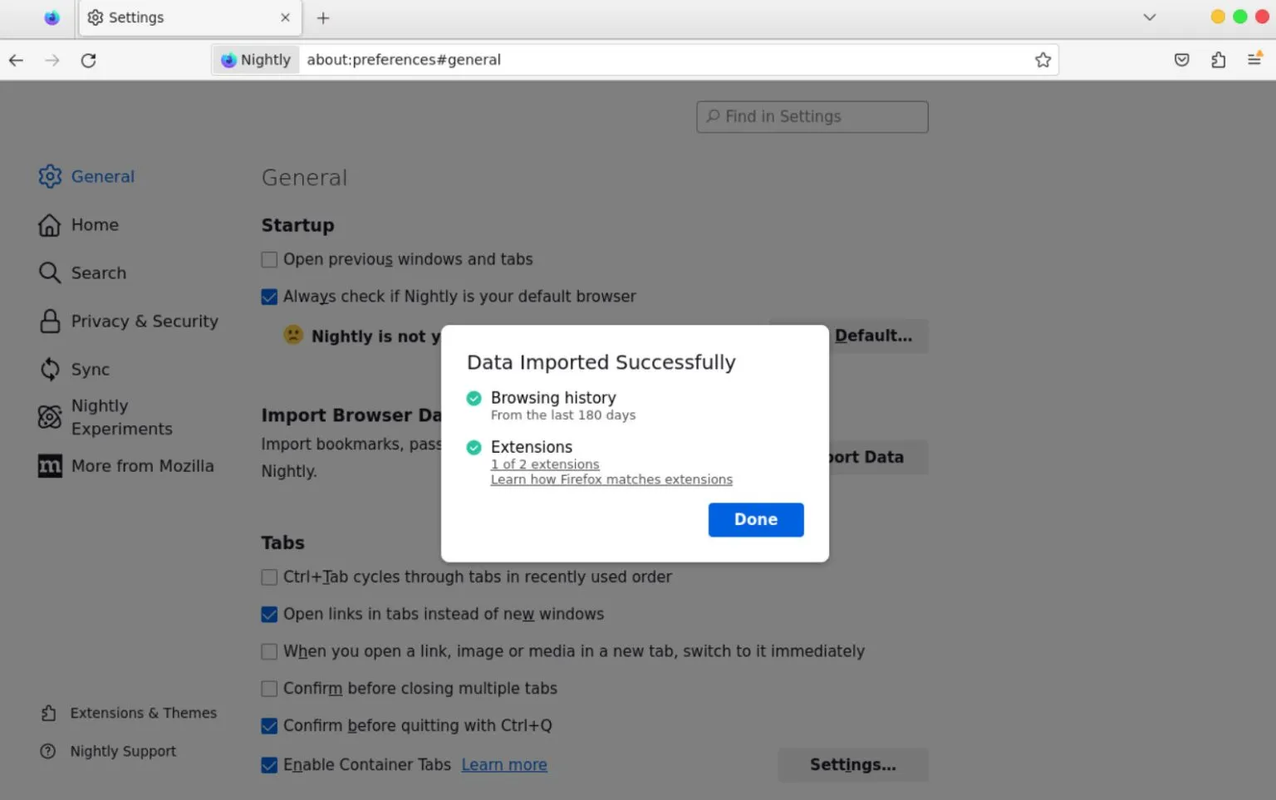
The wizard will start importing the data, and you’ll see the result. For example, you may be able to migrate the “uBlock Origin” Chrome extension to the latest Firefox nightly.
Limitations and Future Plans
It’s essential to note that the feature is currently limited to Google Chrome and select extensions. Customizations and settings adjustments aren’t imported, and users might need to reconfigure settings or explore methods for importing configurations where feasible.
Excitingly, Mozilla has plans to bolster this list by adding more extension pairs to the import feature. The roadmap also hints at the potential inclusion of imports from other browsers down the line.
FAQs
- Is it possible to use Chrome extensions on Firefox? Yes, with the new feature.
- How do I import an extension into Firefox? Follow the steps mentioned above.
- How to import bookmarks and extensions from Chrome to Firefox? Use the ‘Import Data’ function in Firefox.
Conclusion
Importing Chrome extensions into Firefox is a significant step towards enhancing the user experience and browser compatibility. While some initial limitations exist, the groundwork has been laid for the future, making it an exciting development for Firefox users.